How it works

Four steps. Zero friction.

KountEm makes tracking effortless. Set up an item in seconds, log usage when it happens, and let the app handle the rest.

Create an item

Tap the AI Create sparkle and describe it — "Track my oil filter, replace every 100L." Or use the manual form for full control over targets, alerts, and recurring schedules.

Log usage

Hit Quick Log when you use the item. Add a quantity, an optional note, and you're done. Repeat the entry with one tap for fast consecutive logs.

Get alerted

KountEm sends push notifications at the thresholds you set (default 75%, 90%, 100%) — or when an item's time-based expiry approaches.

Review & archive

Archive when finished. You'll get a full post-mortem: progress chart, activity heatmap, milestones, and comparisons to your other items.

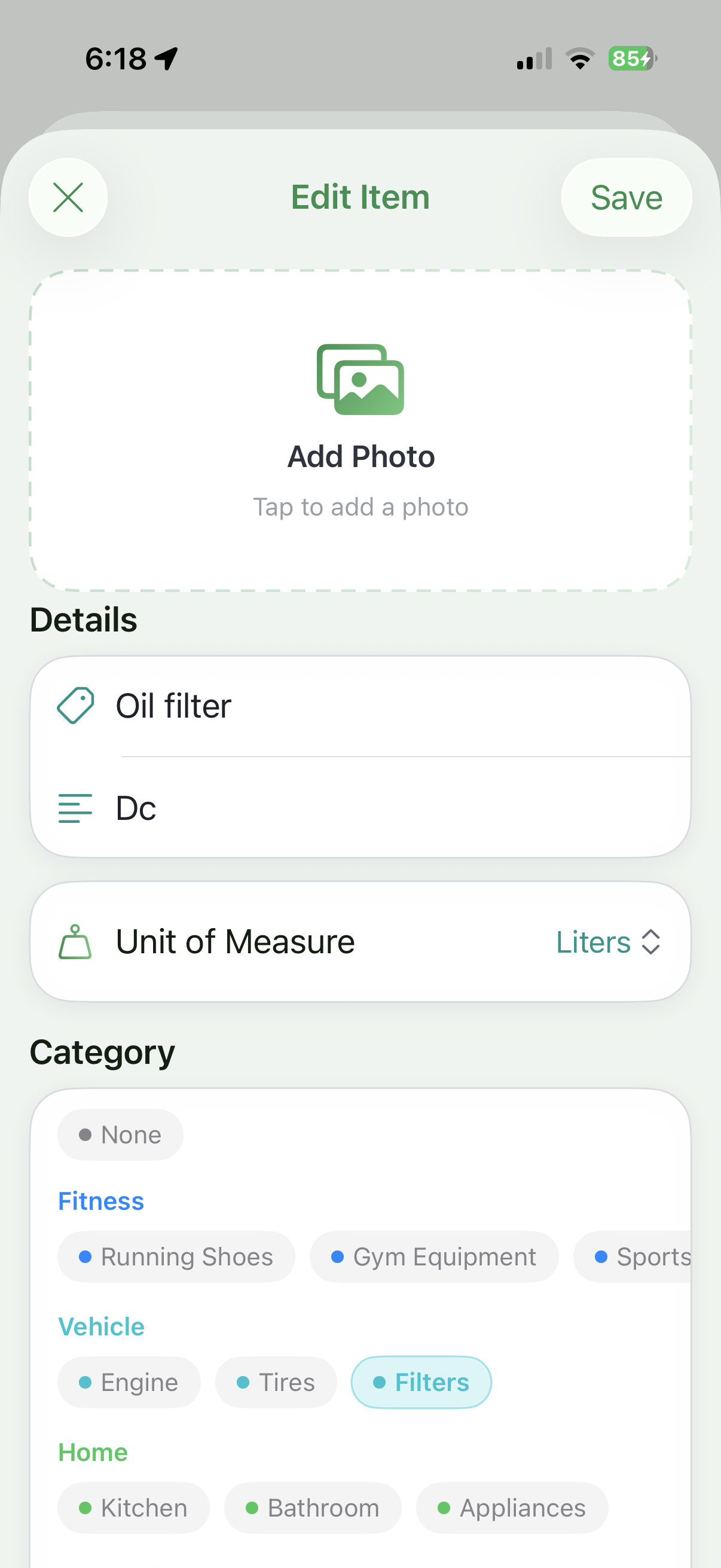
KountEm item creation form

Step 1

Define what you're tracking

Pick a name, a unit, a target, and a category. Add a photo for visual reference. KountEm pre-seeds common categories (Fitness, Vehicle, Home, Health) but you can build your own.

  • Tracking target (e.g., 100 L, 800 km, 6 months)
  • Start date and current value
  • Optional time-based expiry
  • Recurring auto-log schedule
  • Up to five alert thresholds
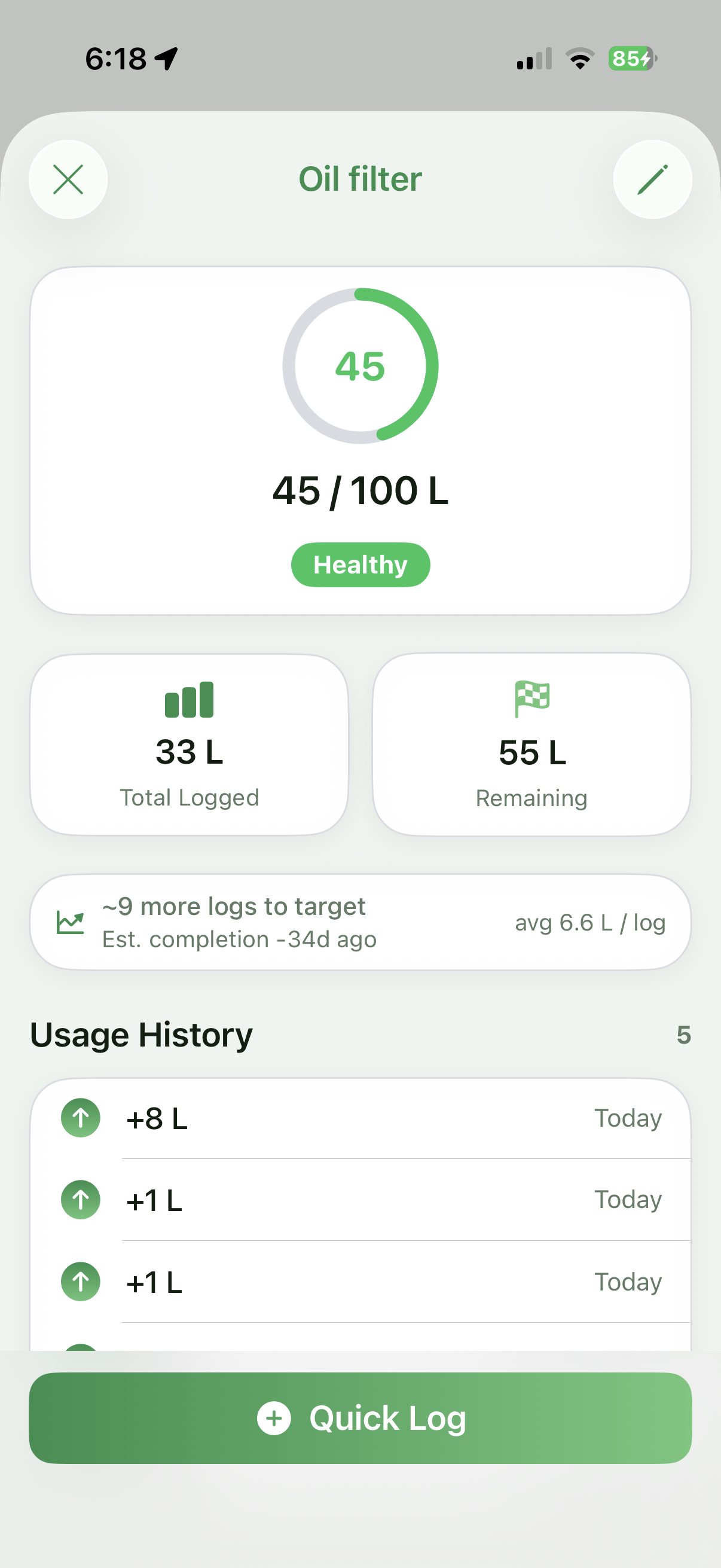
Tracked item detail view

Step 2

Log when you use it

Open the item, tap Quick Log, enter the amount. The progress ring updates instantly, the chart redraws, and KountEm estimates when you'll finish based on your cadence.

  • Quick Log sheet with progress ring preview
  • Date picker — log past usage too
  • Notes for context (where, why, who)
  • Auto-estimate completion date
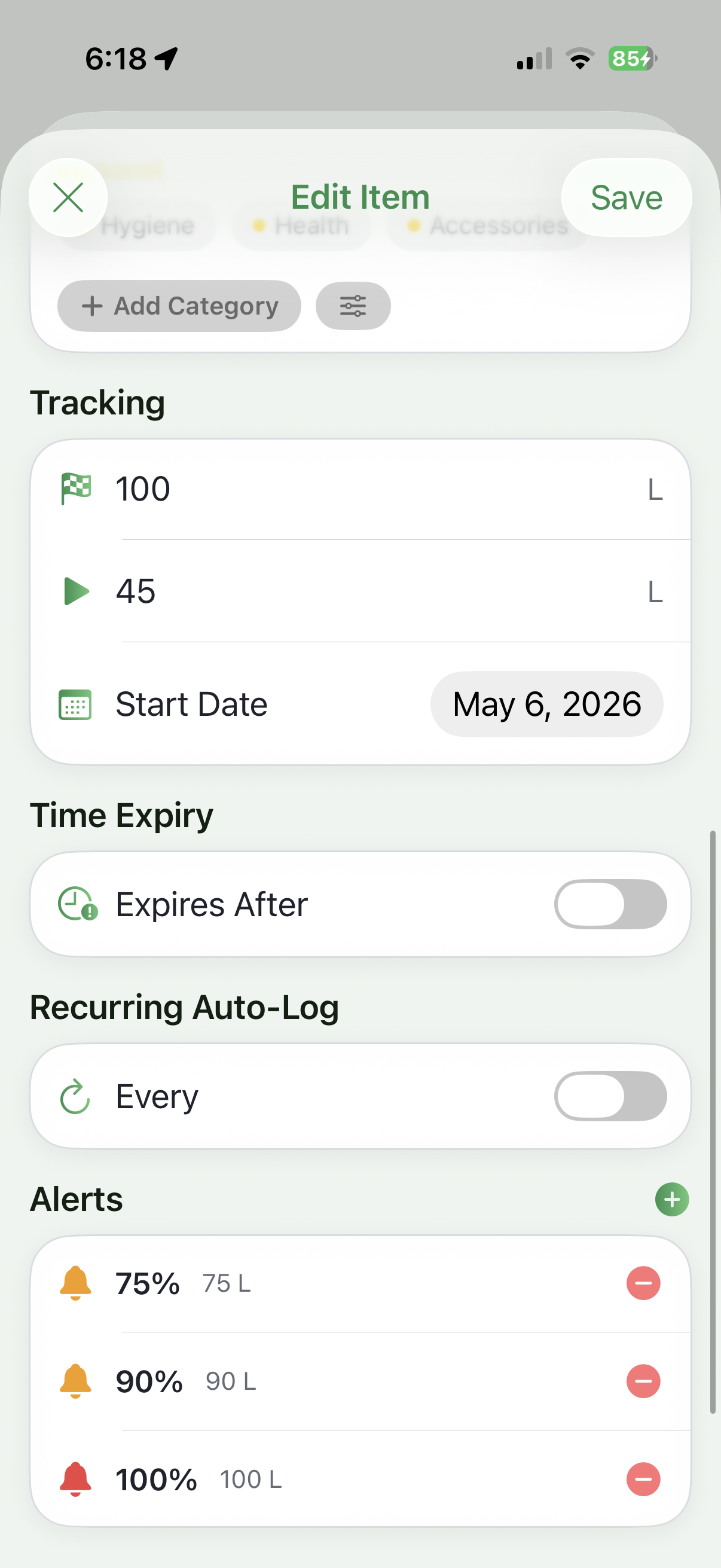
Alert threshold configuration

Step 3

Stay ahead of every limit

Set alerts at the percentages that matter — early warning at 75%, urgency at 90%, action required at 100%. KountEm pushes a notification the moment you cross each threshold.

  • Up to 5 thresholds per item
  • Color-coded urgency (green, amber, red)
  • Optional push notifications
  • Anomaly detection across all items
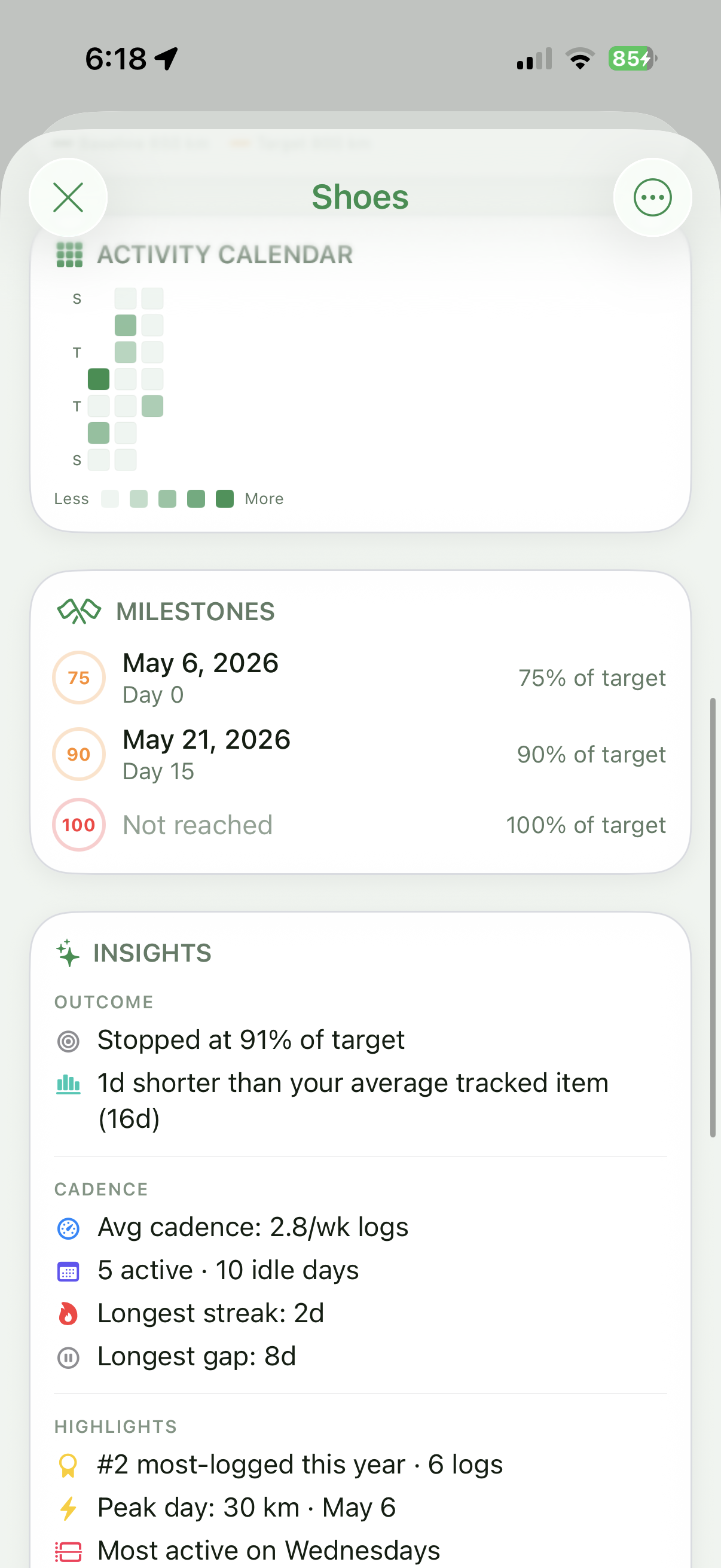
Archived item insights

Step 4

Learn from every cycle

Once you archive an item, KountEm shows you everything that happened — when you hit each milestone, your average cadence, your longest streak, the peak day, and how it compares to your other items.

  • Outcome variance (over / under target)
  • Cadence and activity metrics
  • Highlights: peak day, most-logged rank
  • CSV export for personal records

That's the whole loop.

Create. Log. Review. Repeat. KountEm handles the math, the alerts, and the analytics — you just keep using the things you love.